Delete Your Account
Follow the steps below to request permanent deletion of your Packa account and all associated data. Requests are processed within 30 business days.
Data deleted
- Profile and account credentials
- Personal information (name, email, phone)
- App preferences and notification settings
- Device and session information
Retained for compliance
- Transaction and delivery records (up to 7 years)
- Billing history for tax and accounting
- Records required by applicable law
Step-by-step instructions
Follow each step to delete your account from the Packa app.
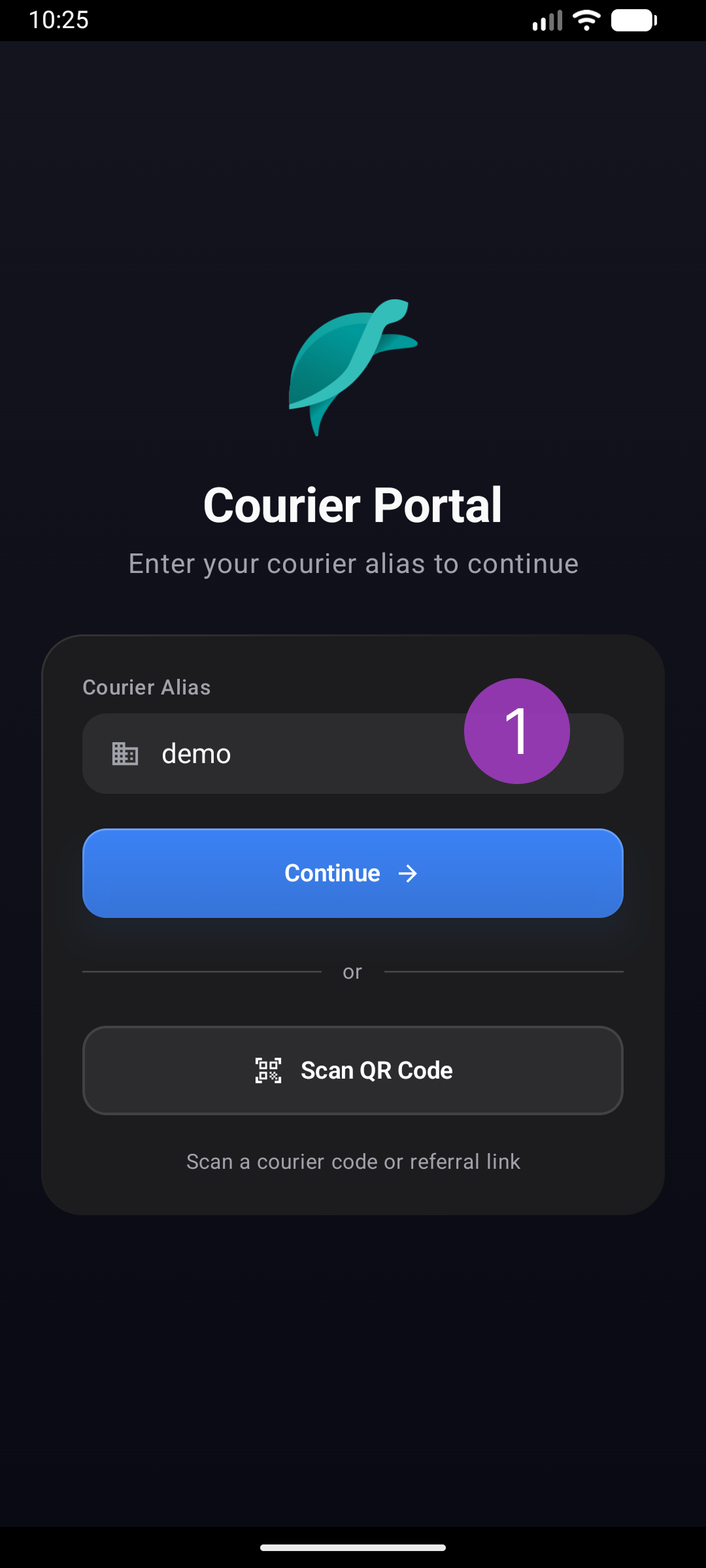
Type in company alias then click continue. This will navigate to the required courier login.
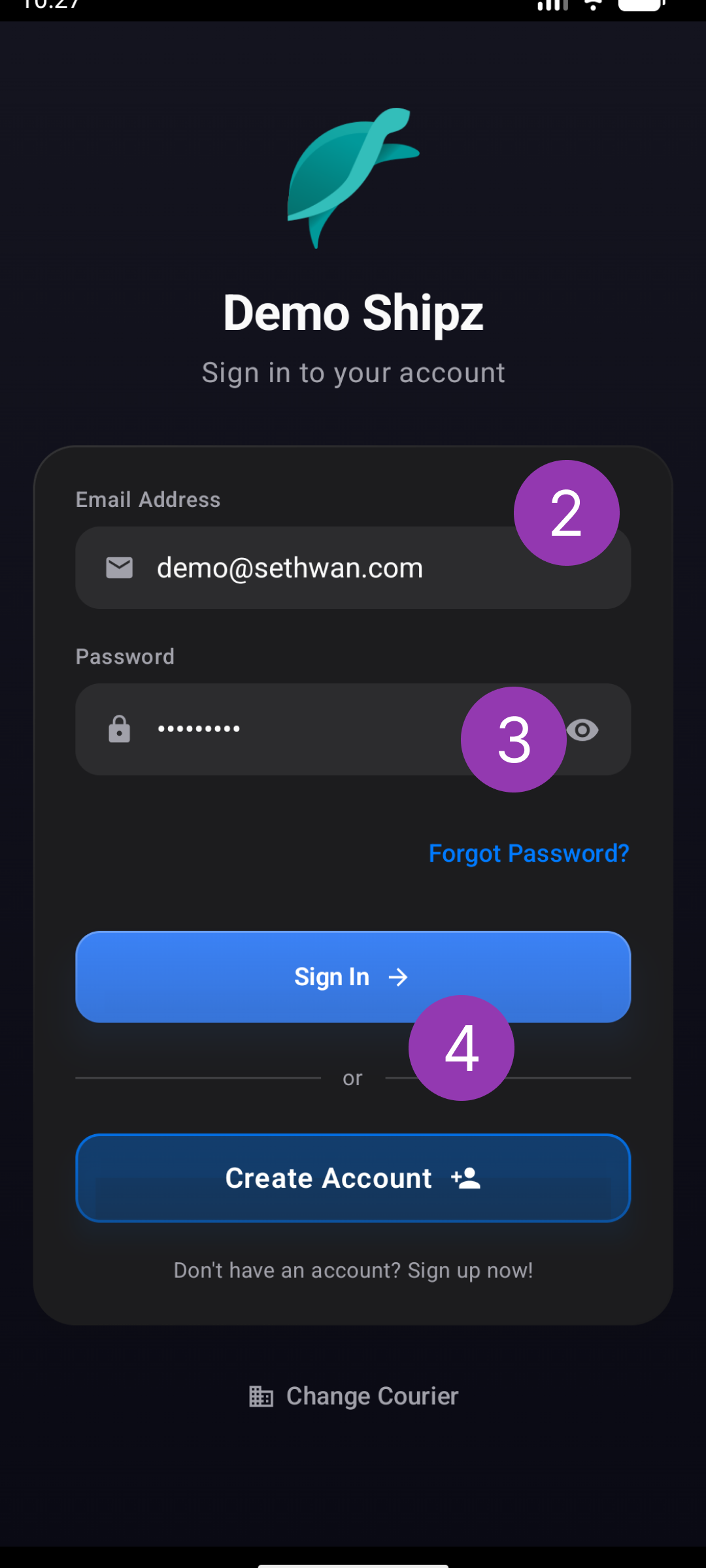
Enter your account email address.
Enter your account password.
Click sign in button.
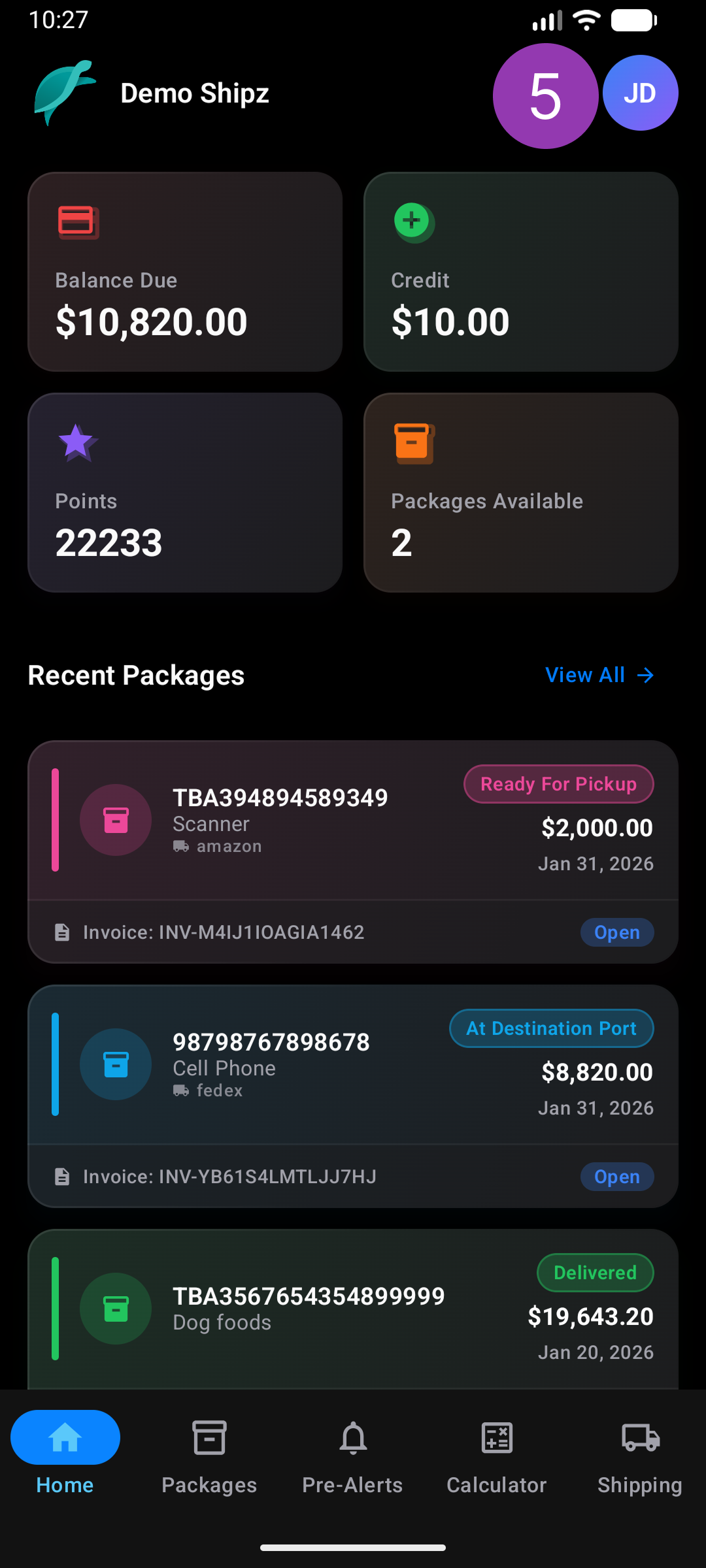
Click avatar in top right hand corner.
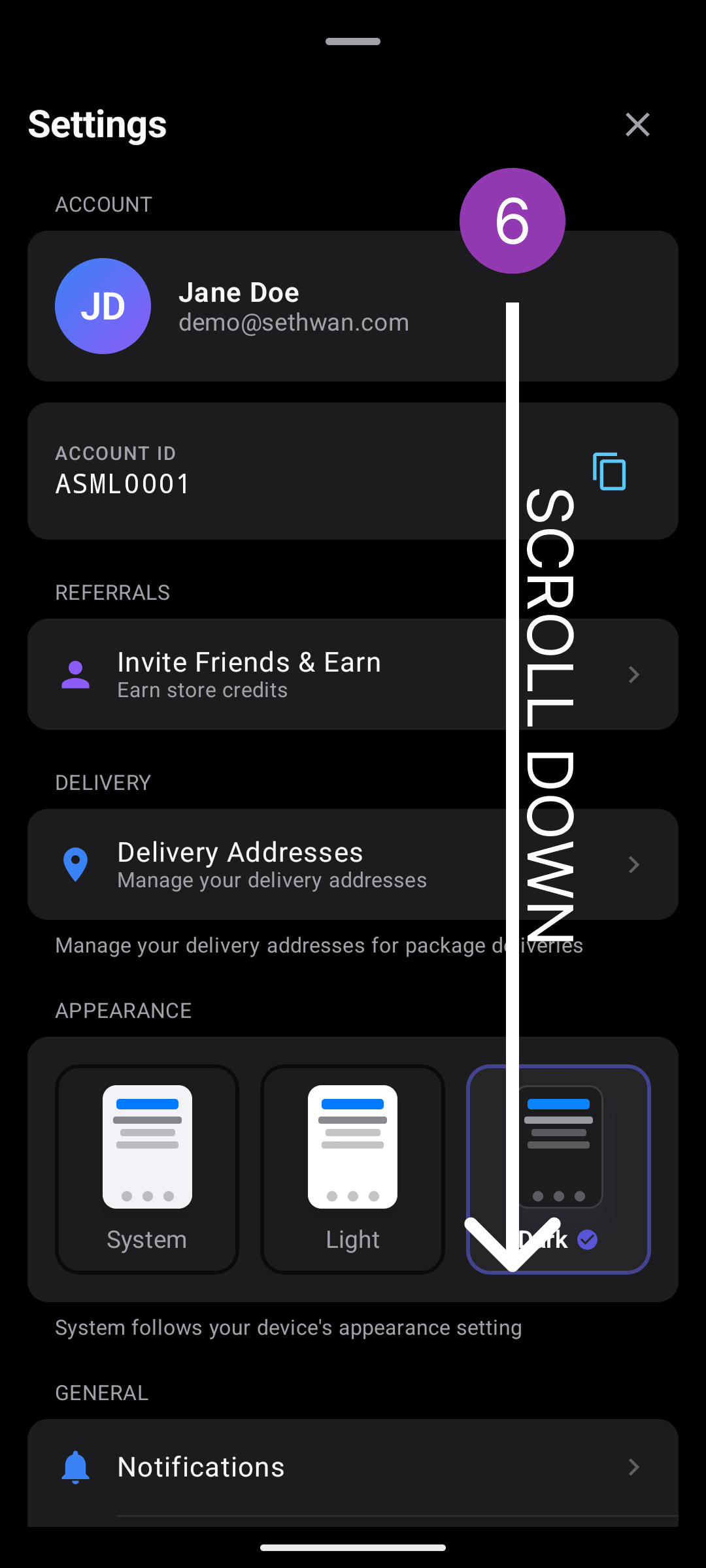
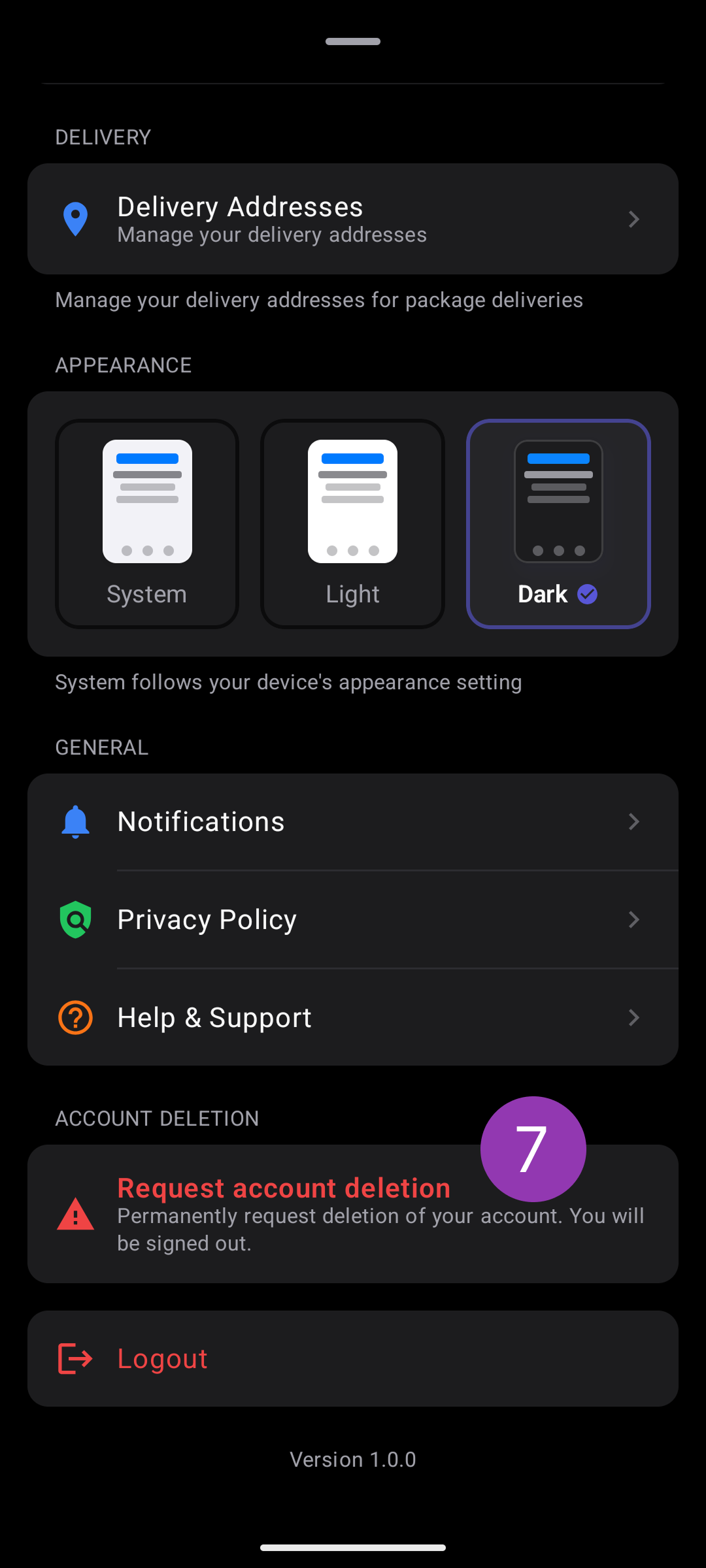
Scroll down to the bottom.
Click the Request account deletion button.
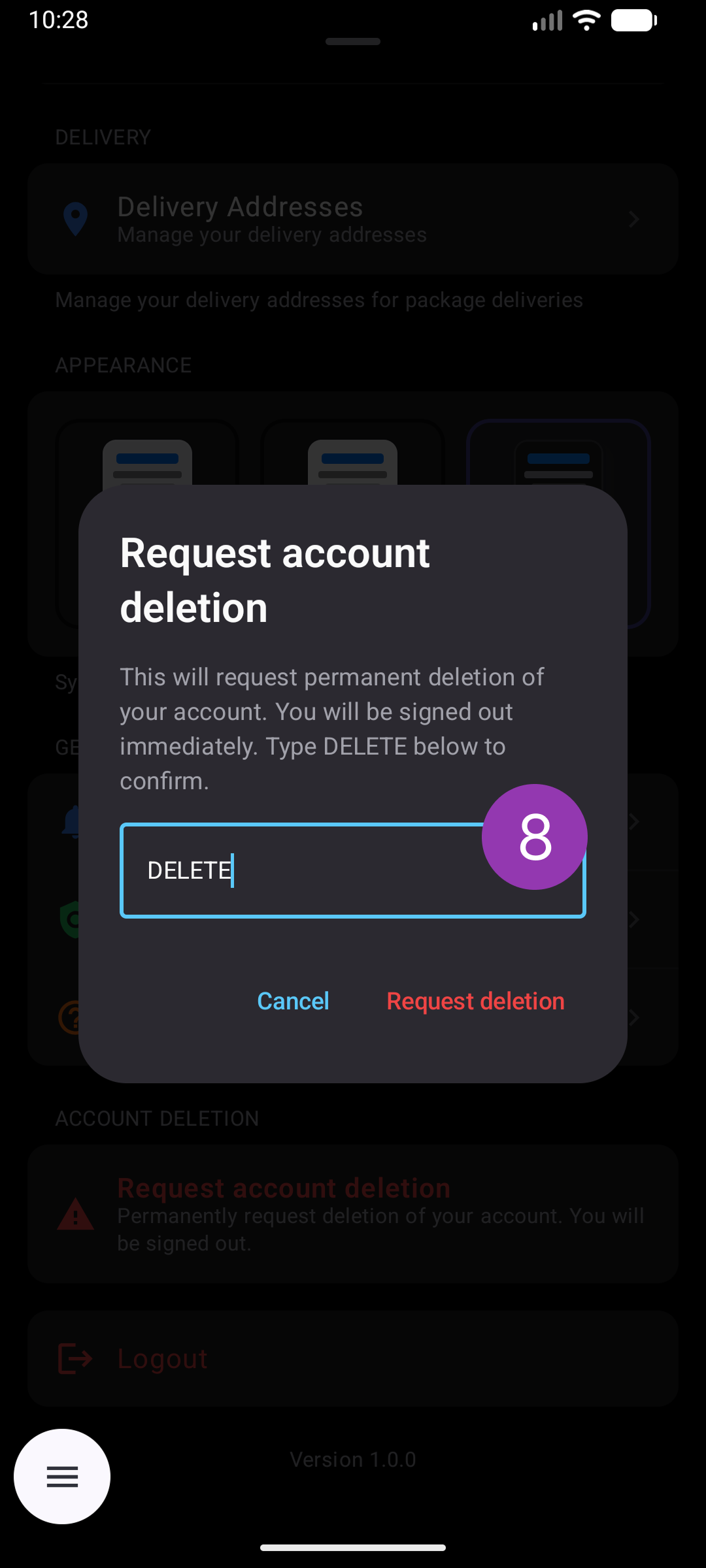
A request dialog will appear. Please type DELETE in the input then click the "Request deletion" button.
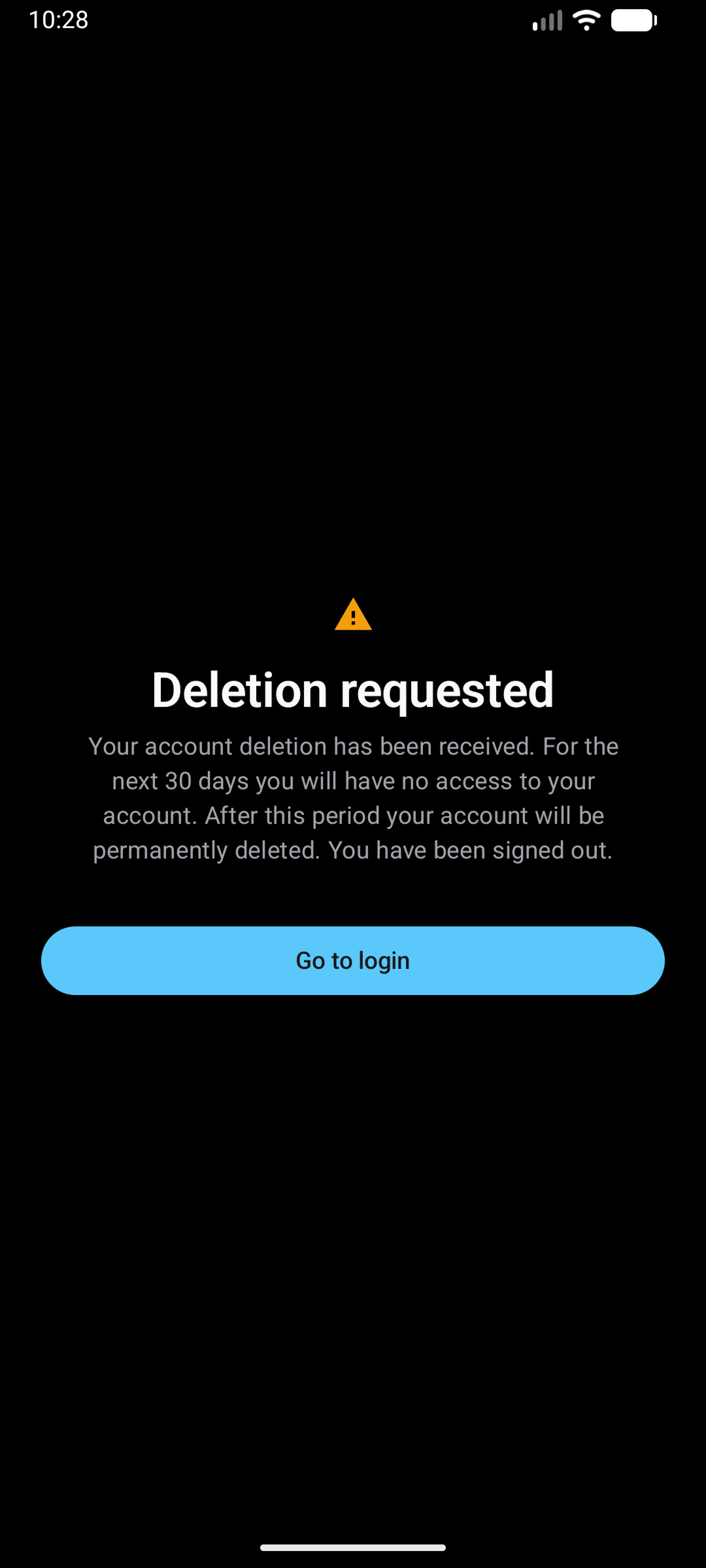
You will be directed to a confirmation page. Your account will be deleted immediately or within 30 business days based on how much information is in the system.
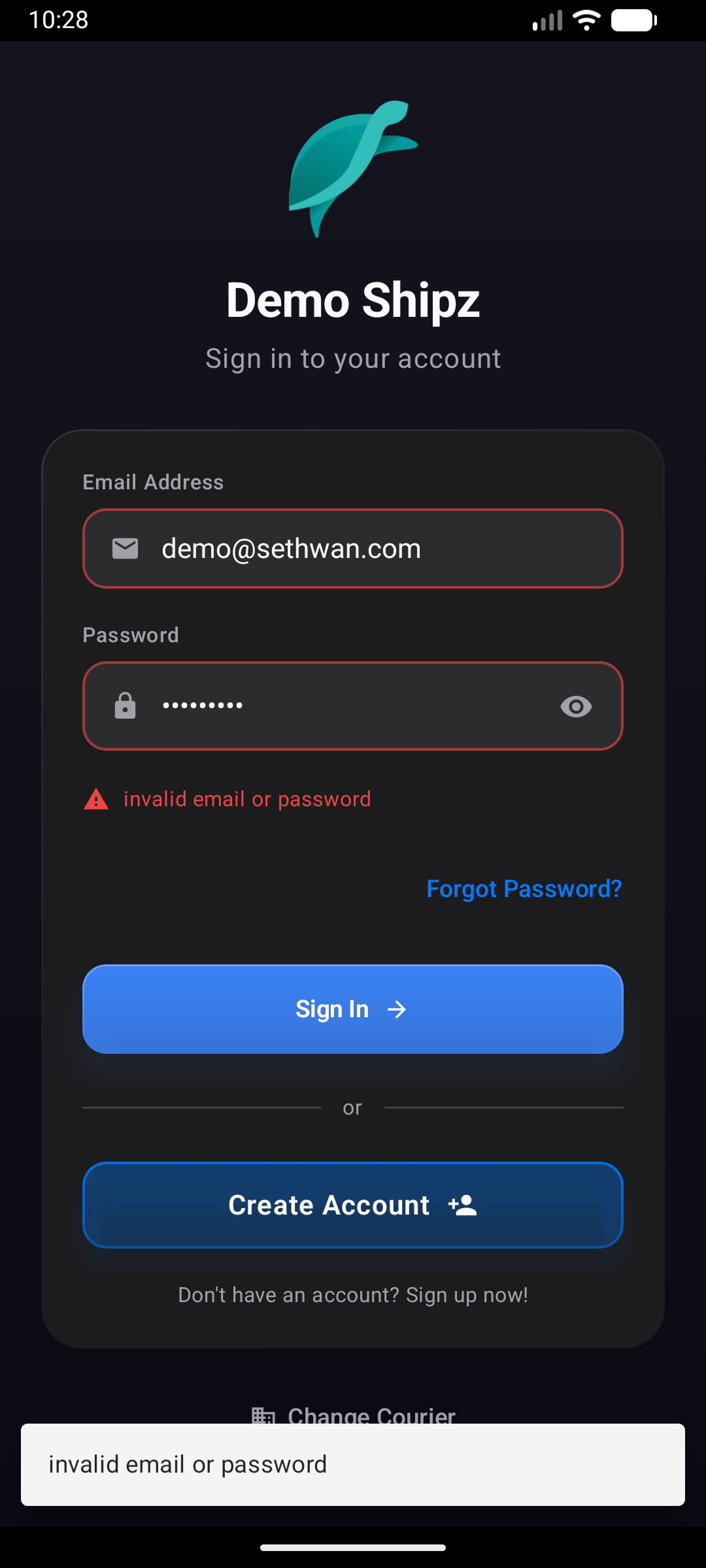
You cannot log back in once your account is deleted or when the request has started.
Important
Once submitted, you will be signed out immediately and cannot log back in. Your account and personal data will be permanently deleted within 30 business days. This action cannot be undone.
Need help?
Can't follow the steps above? Email us with your account email and courier alias. We'll process your request within 30 business days.